Pet Sitter Home Access: Checklist for Secure Entry
Most pet-sitting problems do not begin with a difficult dog, a missed feeding, or a dramatic medical emergency.
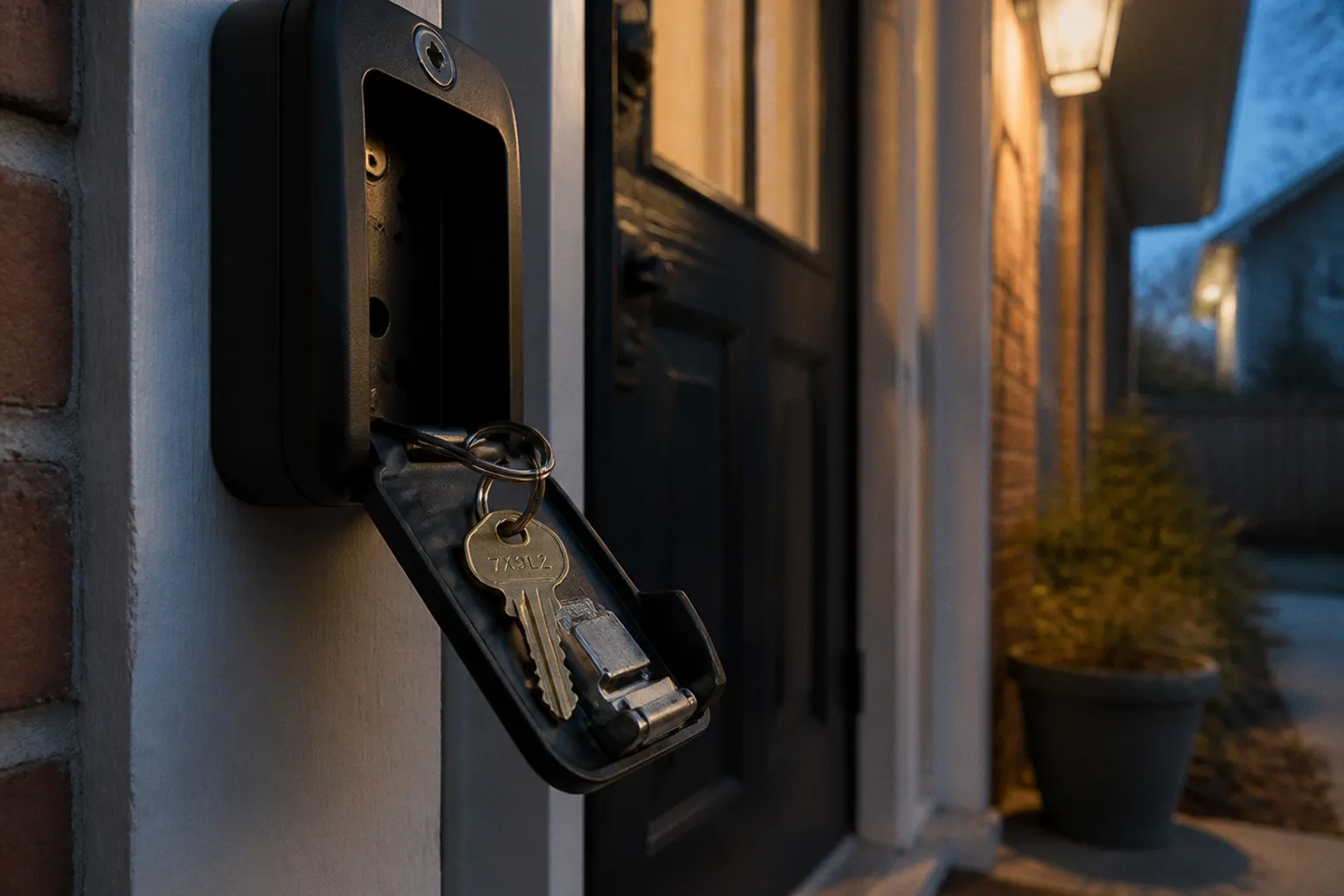
They begin with a key left in the wrong place, a lockbox code shared in a group chat, or a sitter discovering that the “simple entry instructions” are actually three contradictory notes taped to the refrigerator.
Home access is part of animal care. If a sitter cannot enter reliably, the dog does not get outside, the cat does not get medication, and the overnight booking becomes a security problem for everyone involved. A professional pet sitter home access checklist should protect three things at once: the pets, the client’s property, and the sitter’s ability to respond when the original plan fails.
The romantic version of pet sitting assumes trust solves everything. The practical version uses trust plus controlled access, written instructions, backup keys, clear boundaries, and a plan for the small number of cases when the lock jams, the phone dies, or the client’s flight is delayed.
Start with one controlled access plan
A home should not have five possible entry methods unless there is a reason for all five. More options do not automatically create more security. They often create confusion.
At the initial meet-and-greet, the sitter and client should agree on one primary entry method and at least one backup. That decision belongs in the service notes, not in someone’s memory. If the sitter works for a company, the access information should be stored in the company’s approved system with restricted access. A random text message containing a street address, alarm code, garage code, and pet medication schedule is not a security protocol. It is a future incident report.
The basic access record should cover:
- The property address and the exact door the sitter should use.
- The primary entry method: physical key, lockbox, smart lock, garage keypad, or another approved method.
- The backup method and where it is stored.
- Alarm instructions, including how to disarm and re-arm the system.
- Whether the door locks automatically behind the sitter.
- Which doors, rooms, gates, and cabinets are off-limits.
- The client’s preferred method of contact during the booking.
- A second emergency contact who can authorize access changes.
- The location of the electrical panel, water shutoff, and basic household supplies if a problem affects the pets.
Do not confuse a long document with a useful document. The sitter needs information that can be used under pressure, in the dark, with a leash pulling toward the street. Instructions should be specific enough that another trained staff member could follow them without calling the client for every step.
“Use the back door” is not an instruction if the house has three back doors.
The client’s arrival and departure instructions
Clients often focus on how the sitter gets in but forget how the sitter gets out. That gap causes lockouts, false alarms, and keys being left in places no one intended.
The entry instructions should state:
1. Which door to approach.
2. Where to stand or place the key.
3. How to unlock the door without triggering the alarm.
4. Whether the key must be returned to a lockbox immediately.
5. How to confirm the door is fully latched.
6. Whether the alarm must be armed before departure.
7. How the sitter should report a failed lock, dead battery, or alarm error.
If the front door sticks when the weather changes, say so. If the smart lock only works after the handle is lifted, say so. These are not minor details. A sitter who cannot secure the house may leave the pets inside a vulnerable property while trying to solve the problem from the driveway.
Access instructions should be written for the tired, distracted version of a person—not the ideal version who remembers everything after one demonstration.
Physical keys: boring, reliable, and easy to mishandle
Physical keys remain common because they work without Wi-Fi, batteries, apps, or a client remembering which account controls the lock. They also create a clear chain of responsibility. That chain is only useful if the keys are managed properly.
A professional service should have at least two copies of the client’s key. One is used for normal operations; the other is kept as a backup in an office, secure key cabinet, or approved lockbox. The exact storage arrangement depends on the business, but the principle is simple: one lost key should not end the visit schedule.
Keys should never be labeled with the client’s name, address, phone number, or any other identifying information. Use a random code or, where appropriate, the pet’s name. Even “Maple” can be too revealing if the key is attached to a visible address tag or stored alongside client records. The label should help the business identify the key without turning the key ring into a map to someone’s home.
A key log should record:
- A non-identifying key number.
- The date the key was received.
- The client or household record linked to that number.
- Who currently holds the key.
- Whether it is a primary or backup copy.
- The date it was returned, replaced, or destroyed.
- Any unusual restrictions, such as a gate key or alarm fob.
A loose collection of unlabeled keys in a desk drawer is not a key management system. It is a delayed security failure.
The lockbox routine
Lockboxes are convenient, but they are not magical. A lockbox can be forced, damaged, exposed to weather, or used badly. The code should not be a familiar number such as a house number, birth year, or repeated sequence. A four-digit code is a common minimum for combination key storage, but a longer or more controlled credential may be appropriate depending on the product.
The sitter should follow the same sequence every time:
1. Confirm the lockbox location before approaching the property.
2. Shield the code from neighbors, cameras, passersby, and delivery workers.
3. Remove the key.
4. Unlock the door.
5. Return the key to the lockbox immediately.
6. Close and scramble the lockbox.
7. Test the door before beginning pet care.
The key goes back into the box immediately. Not into a pocket. Not on the kitchen counter. Not on the roof of the car while the sitter clips a leash. Those small deviations are how keys disappear.
The client should also know whether the lockbox is mounted to a fixed object or simply hanging somewhere visible. A portable box placed behind a planter may be easy to find and easy to remove. That does not make it useless, but it does mean the client should understand the tradeoff.
Key exchange at the end of service
The final visit is not the time to improvise. The sitter should know in advance whether the key remains in the lockbox, returns to the client in person, or goes back to the company’s secure storage.
Do not lock the key inside the house on the final visit unless the client has explicitly confirmed that someone is already home and able to retrieve it. Travel delays happen. Flights are canceled. A client may arrive hours later than planned and discover that the sitter has created a second access problem.
If a key must be mailed, use a tracked service that requires a signature on delivery, such as Certified Mail where available. That is a recommended handling practice, not a universal legal requirement. The business should record when the key was sent, the tracking number, and when delivery was confirmed.
The cleaner option is usually direct handoff or continued storage in the sitter’s secure system until the client confirms receipt.
Smart locks and digital access control
Smart locks solve some physical-key problems and create a few new ones. A custom sitter code is usually safer and easier to audit than sharing the homeowner’s personal code. It also lets the client receive automated notifications when the sitter arrives and leaves, depending on the lock and its settings.
That access should be temporary whenever the system allows it. A code that works only during the booking window is less dangerous than a permanent code that remains active for months after the sitter has stopped working with the client.
Before using a smart lock, test the complete process. The client should not assume that because the app works on their phone, it will work for the sitter. Confirm:
- The sitter has the correct app, account invitation, or code.
- The code works on the actual door being used.
- The lock has sufficient battery power.
- The lock can be operated if the home’s Wi-Fi is offline.
- The sitter knows whether the door auto-locks.
- The client receives arrival and departure notifications if enabled.
- There is a physical backup key or another emergency entry method.
- The backup method is accessible without exposing the home to unnecessary risk.
A smart lock with a dead battery is just a very expensive door handle. The client should replace batteries according to the manufacturer’s guidance and tell the sitter where the physical backup is stored. If the lock has a concealed emergency power option, that procedure belongs in the written instructions.
Physical keys versus smart locks
| Access method | Strengths | Common failure point | Best practice |
|---|---|---|---|
| Physical key | Works without power or internet; familiar to most sitters | Lost key, copied key, unclear custody | Keep at least two copies, use non-identifying labels, maintain a key log |
| Lockbox | Convenient for recurring visits and backup access | Visible box, weak placement, forgotten key return | Use a controlled code and return the key immediately after entry |
| Smart lock | Custom codes, access notifications, temporary permissions | Dead batteries, app failure, connectivity problems | Create a sitter-specific code and maintain a physical backup |
| Garage keypad | Useful when the garage is the normal entry point | Door may not connect to the house; code may be widely shared | Limit the code, confirm the interior route, and verify the garage closes |
| In-person handoff | Clear custody and direct communication | Client or sitter is late; no backup if plans change | Use for key return when schedules are reliable, but keep a contingency plan |
No access method removes the need for verification. The right method is the one the sitter can use consistently and the client can revoke or replace without drama.
Alarm systems, gates, and the security details clients forget
Home security systems deserve their own section because “the alarm is easy” is one of the least reliable statements in pet sitting. A client who uses the system every day may forget the steps that are obvious to them. The sitter has one chance to enter without waking the neighborhood.
Written alarm instructions should include the panel location, the exact code or credential process, the entry delay, and what to do if the alarm does not disarm. If the sitter uses a mobile app, document the backup procedure. Apps log out. Phones break. Cellular service disappears at the least convenient time.
The sitter should also know:
- Whether opening a garage door triggers the alarm.
- Whether interior motion sensors are active.
- Whether pets can move freely while the system is armed.
- Which doors and windows must remain closed.
- Whether a gate has a separate key or keypad.
- Whether the alarm company calls the client, the sitter, or both.
- What happens if the alarm is triggered accidentally.
Never test an alarm casually during a client’s trip. Test the instructions during the meet-and-greet if the client wants that verification and can manage the system correctly. Otherwise, the sitter should receive a demonstration and repeat the process under supervision.
A gate can be a bigger risk than the house door. A dog that squeezes through a loose latch has no interest in whether the sitter followed the indoor instructions perfectly. The access checklist should identify every gate, latch, garage door, and secondary exit used during walks or transport.
Communication with clients, neighbors, and other people on the property
A secure home access plan depends on people knowing who is supposed to be there. Clients should tell neighbors, landlords, building managers, and regular service providers—such as gardeners or cleaners—that a pet sitter will be accessing the home. This reduces the chance of a well-meaning neighbor calling security, confronting the sitter, or entering the property while the sitter is inside.
The client should provide the sitter with the names of any authorized visitors and the dates they may arrive. “My brother might stop by” is not enough. Give the sitter a name, a phone number, and a clear instruction about whether that person may enter without the client present.
The reverse is also true: a sitter should not allow an unfamiliar person into the home merely because the person claims to be a relative, repair worker, or neighbor. The sitter can contact the client or designated emergency contact for confirmation. If the situation involves an urgent property problem—a burst pipe, smoke alarm, or electrical hazard—the sitter should prioritize immediate safety and use emergency services when appropriate.
Client communication should be centralized. A business may use software, a secure client portal, or a designated phone number. The exact platform matters less than consistency. The sitter should not have to search three message threads to determine whether the alarm code changed.
A good handoff message includes:
- The date and time of the visit.
- Whether entry was successful.
- Whether the home was secured on departure.
- Any alarm or lock issue.
- The pet’s condition and behavior relevant to future handling.
- Whether another person was seen at the property.
- Whether the key or code was used as expected.
This is not bureaucracy for its own sake. It creates a record when memory gets fuzzy and several people are serving the same household.
What neighbors should and should not do
A neighbor can be useful backup support, but the arrangement needs boundaries. The client should specify whether a neighbor may enter, hold a spare key, meet a contractor, or simply confirm that a vehicle is outside. A neighbor’s willingness to help is not the same as authorization to access the home.
The sitter should not give the neighbor the client’s alarm code or hand over a key unless the client or company has approved that arrangement. If a neighbor reports that a door is open, a window is broken, or an unfamiliar person has entered, the sitter should document the report and contact the client or emergency contact. Do not turn an informal neighborhood network into an untracked key-distribution system.
For apartment buildings and gated communities, include the building entry process as part of the access plan. A key that opens the unit but not the lobby, parking gate, elevator, or courtyard is not a complete access solution. The sitter may also need instructions for visitor parking, intercom calls, package-room access, or a building concierge.
Cameras, privacy, and the line between visibility and surveillance
Many clients use cameras for security and pet monitoring. That is understandable. The sitter is entering a private home, and the client may want to know when the sitter arrives, whether the dog escaped the yard, or whether the cat is eating.
The problem is not the existence of cameras. The problem is pretending they do not change the working relationship.
Clients should disclose camera locations and identify whether the devices record video, audio, or both. Cameras in common areas may be expected in a pet-care setting. Bedrooms and bathrooms are private areas where a sitter has a reasonable expectation of privacy and should not be monitored as part of routine service.
If the sitter discovers an undisclosed camera in a private area, the sitter should document the concern and contact the company or client before continuing, unless an immediate animal emergency requires action. Do not tamper with equipment, unplug devices, or make accusations in the moment. Preserve the facts and follow the business’s escalation procedure.
The client should also explain:
- Which cameras are active during the booking.
- Whether two-way audio is enabled.
- Whether the client may speak through the camera.
- Whether outdoor cameras cover the entry path or yard.
- How the sitter should report a camera malfunction.
- Whether other household members can view the feed.
Two-way audio can unsettle animals. A dog may bark at a disembodied voice coming from the wall, or become agitated when the owner speaks but does not appear. Clients should avoid using the camera to give live corrections unless the sitter has agreed to that arrangement. Remote interruptions can produce behavioral fallout without solving the underlying problem.
A camera is not a substitute for a sitter’s observation. It will not reliably tell you whether a dog is guarding a resource, whether a cat is hiding because of stress, or whether a medication was swallowed. It is one part of the household’s security arrangement, not a replacement for a visit record or a trained professional.
Overnight stays require a different access mindset
An overnight booking creates more points of contact with the property than a short drop-in visit. The sitter may arrive after dark, bring personal belongings, use more rooms, receive a delivery, take pets into the yard early in the morning, and remain in the house when a neighbor or contractor expects the client to be away.
The overnight pet sitting security checklist should clarify:
- Which entrance the sitter uses at night.
- Whether exterior lights should remain on.
- Which rooms are available to the sitter.
- Where personal items may be stored.
- Whether doors should remain locked while the sitter is inside.
- How to handle deliveries or unexpected visitors.
- Whether the sitter may open windows or use the garage.
- Where outdoor keys, remotes, and gate controls are kept.
- What to do if a pet needs urgent transport after regular business hours.
The sitter should avoid creating new access points. A window opened for ventilation, a side gate left unlatched during a late walk, or a garage door left open while unloading supplies can undermine an otherwise careful plan. At the end of each outing, the sitter should check the route back into the house and confirm that every gate and exterior door is secure.
Overnight care also raises a privacy question for both sides. The client should explain which monitoring devices remain active, and the sitter should understand whether the home has cameras in shared areas. The sitter should not disable security devices simply because they are inconvenient, but the client should not expect unrestricted surveillance to function as a substitute for communication and professional boundaries.
Emergency protocols for lockouts and failed access
Every access plan should answer one practical question: what happens when the normal method fails?
A sitter who arrives to find a dead smart-lock battery, a jammed key, a missing lockbox, or an alarm that will not disarm should not improvise endlessly at the door. Repeated attempts can damage the lock, trigger security alerts, or make the property look as though someone is trying to force entry.
A sensible escalation sequence is:
1. Confirm that the sitter is at the correct address and correct entrance.
2. Recheck the written instructions, including the door position, key orientation, lockbox code, and alarm sequence.
3. Contact the client through the agreed channel.
4. Contact the designated emergency person if the client does not respond.
5. Notify the supervisor or company dispatcher when the service is managed by a business.
6. Contact a locksmith, building manager, or emergency service only when authorized or when immediate safety requires it.
7. Document the time of arrival, each attempted contact, and the condition of the property.
The order may change if an animal is in immediate danger. A strong smell of smoke, visible water entering the home, extreme heat, or a pet in medical distress can justify contacting emergency services while the sitter continues trying to reach the client. The sitter should never put personal safety at risk to force entry.
If the sitter is locked outside but knows the pets are safe, the client’s response time still matters. A cat waiting for medication or a dog that needs a scheduled insulin dose may not have the same margin as a pet whose routine can shift by an hour. The service notes should identify which animals or treatments make access time-sensitive.
When a key breaks or a lock jams
Do not keep twisting a key that is bending inside the lock. Stop, photograph the condition if it is safe to do so, and contact the client or supervisor. A broken key may be recoverable without replacing the entire lock, but forcing the issue can turn a minor repair into a larger one.
A door that swells in humid weather may need to be lifted, pulled, or pushed while the key turns. That technique should be demonstrated in advance rather than discovered during an emergency. If the lock has a known quirk, write it down in plain language and include it in the service record.
If a locksmith is needed, the client or company should verify the person’s identity and authorization before providing access details. The sitter should remain present when possible and should not disclose unrelated information about the client’s schedule, valuables, or absence.
When the sitter’s phone dies
Digital access systems make a phone part of the key. That is convenient until the battery reaches zero in a driveway.
The sitter should carry a practical backup: a charged power bank, a physical key when available, or a way to contact the company or emergency person from another phone. A client should not assume that a sitter can solve every access problem through a dead app. If the code is stored only in the phone and the physical backup is inside the house, the system has failed at the exact point where redundancy was supposed to help.
For companies, the access record should be available to authorized staff even if the assigned sitter’s device fails. That does not mean placing sensitive codes in an unsecured shared document. It means designing the system so one dead phone does not cut off the only person who can reach the pets.
Returning access securely
Access does not end when the booking ends. The final key, code, app invitation, garage remote, and building credential all need a clear disposition.
For physical keys, the client and sitter should agree before the last visit whether the key will be:
- Returned directly to the client.
- Placed back in the designated lockbox.
- Delivered to the company’s secure storage.
- Sent through a tracked delivery service.
- Replaced or destroyed when the working relationship ends.
For digital access, the client should remove temporary codes, revoke app permissions, and update shared credentials when appropriate. The sitter should not retain screenshots of codes, save them in personal notes, or continue using a client’s access after the assignment is complete.
A pet sitting key exchange checklist should include confirmation from both sides. The sitter records what was returned and when; the client confirms receipt or confirms that the key remains in the agreed location. If a remote, key, or fob is missing, report it immediately rather than hoping it will turn up later.
The same principle applies when a sitter leaves a company. Key custody should be reconciled as part of the departure process. Client access is a business responsibility, not a personal souvenir of past assignments.
Make the meet-and-greet do real security work
The meet-and-greet is often treated as a chance to discuss feeding amounts and favorite toys. It should also be a live test of home access.
Have the sitter perform the entry and departure process while the client watches. That includes the key, lockbox, smart lock, alarm, gate, and any route used to reach the pets. A written instruction can look perfectly clear until someone tries to follow it without the homeowner standing beside them.
During the visit, ask the client:
- Which entry method should be used first?
- What is the backup if that method fails?
- Which doors automatically lock?
- What should happen if the sitter arrives and another person is present?
- Are there cameras, audio devices, or alarm sensors the sitter needs to know about?
- Who can authorize a change in access?
- Which pet-care tasks are time-sensitive?
- Where are the keys, remotes, and codes recorded?
- How will the client confirm that access has been returned or revoked?
The answers should be written immediately. If the client changes the plan later, the updated instruction should replace the old one rather than sit beside it in a message thread.
A professional sitter does not need a fortress. The goal is a controlled, understandable system that works on an ordinary day and has a reasonable response when the ordinary day disappears.
The strongest access plan is not the most sophisticated one. It is the one another trained sitter can follow, verify, and recover when the first option fails.
A secure entry plan protects the care itself
Home access is easy to overlook because it happens before the visible work of pet sitting begins. But feeding, walking, medication, litter care, and overnight supervision all depend on the sitter being able to enter and leave without creating a new risk.
The best arrangement usually has a primary method, a tested backup, limited credentials, clear key custody, disclosed cameras, and one reliable communication path. It tells the sitter what to do when the door opens, what to check before leaving, and whom to contact when the plan stops working.
That is what makes an access checklist useful. It does not pretend that locks never fail or travel plans never change. It gives the sitter enough information to protect the pets and the property while the problem is being resolved.