Pet sitting updates: dedicated software vs texting
For many pet sitters, the question is not whether clients want updates. They do. The practical question is whether those updates should continue through ordinary SMS texting or move into dedicated…
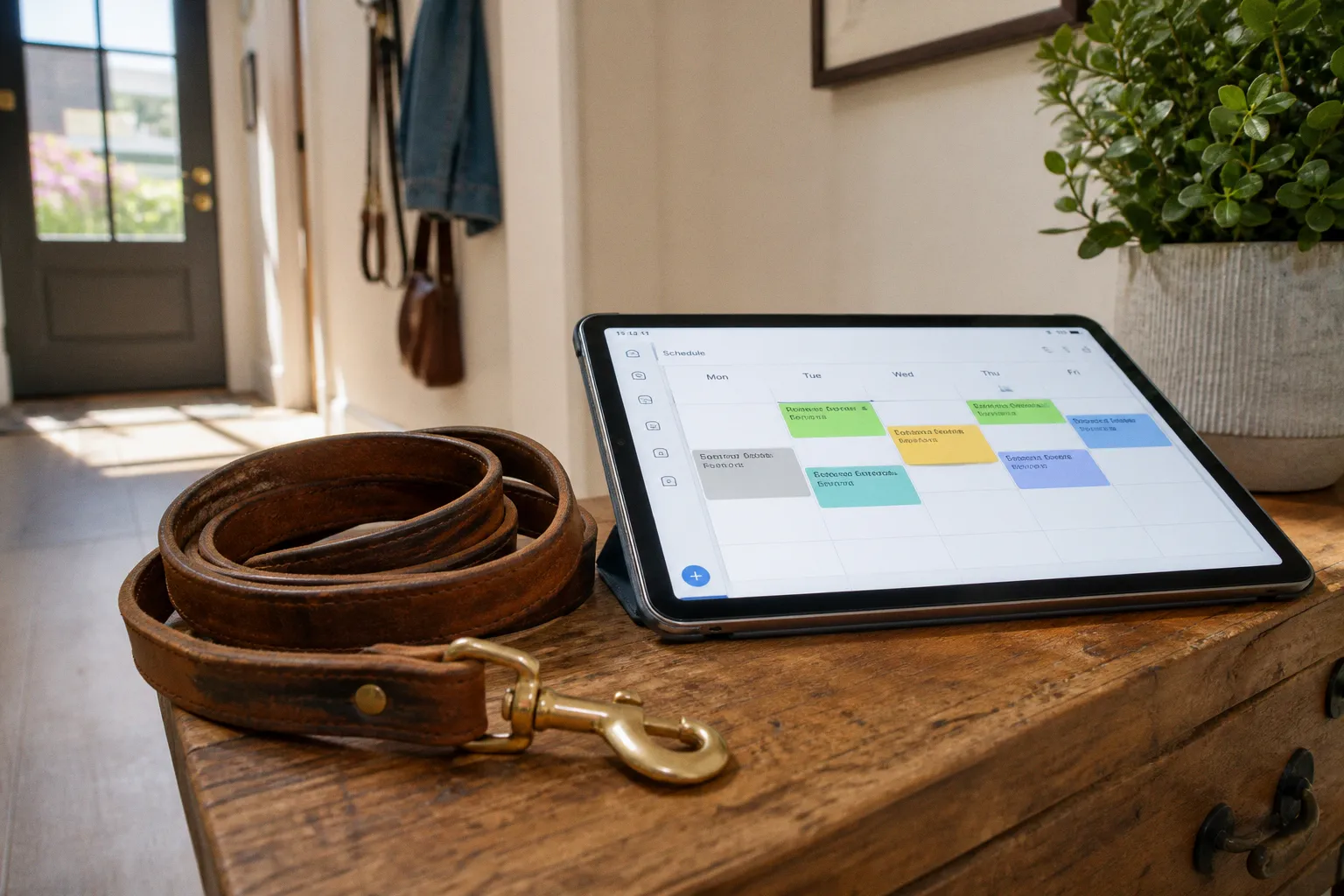
For many pet sitters, the question is not whether clients want updates. They do. The practical question is whether those updates should continue through ordinary SMS texting or move into dedicated pet sitting client communication software, where messages, schedules, photos, GPS records, and visit notes live together.
Compare car rental deals in United Kingdom
See available offersPartner link — DiscoverCars comparisonTexting usually wins at the beginning because it is immediate and familiar. A sitter can send, “Milo ate well and we had a good walk,” attach a photo, and move on. The arrangement may work smoothly for a solo professional with a small number of recurring clients. The difficulty appears later, when several visits overlap, multiple staff members handle the same household, a client asks for a past update, or a routine instruction is buried beneath unrelated messages.
That is where the comparison between pet sitting client communication software vs texting becomes operational rather than cosmetic. The right system must preserve the warmth clients expect while reducing the number of details a sitter has to remember manually.
The hidden operational risks of manual texting
Traditional SMS is not inherently unprofessional or unsafe. In a small pet sitting business, it can be a sensible communication channel, particularly for quick changes: a delayed arrival, a gate issue, or a question about whether a dog may have an extra walk.
The risk comes from using texting as the entire operating system.
A typical visit generates more information than a short message suggests:
- arrival and departure times;
- feeding, medication, and toileting notes;
- walk duration or route;
- photos and videos;
- behavior observations;
- instructions for the next visit;
- access details and household notes;
- requests that require follow-up rather than an immediate answer.
When these details are distributed across individual phone conversations, group texts, photo galleries, notes apps, and a separate calendar, the business begins relying on memory and manual reconciliation. That may be manageable with five households. It becomes much less dependable when the schedule includes several sitters, multi-pet homes, overnight boarding, or last-minute changes.
SMS also has a structural limitation: a standard text message is generally limited to 160 characters. Longer updates are split into multiple messages, which can make a detailed visit report harder to read and easier to separate from its attached photo. A sitter may intend to send one complete account, while the client receives several fragments in sequence.
The more consequential issue is not the character limit itself. It is the absence of a shared record. If a client asks, “Did Luna receive her evening medication on Tuesday?” a sitter using ordinary texting may need to search a conversation, check a handwritten note, and confirm which staff member completed the visit. A dedicated system can place the visit report, timestamp, medication note, and responsible sitter in one client record.
Texting is quick because it removes structure; that same lack of structure becomes the liability when the business has more than one moving part.
Manual texting creates several recurring failure points:
1. Instructions can be separated from the booking. A client may send a feeding change in the middle of a personal text thread, while the schedule still reflects the old instruction.
2. Messages can be sent from the wrong number. If several staff members communicate directly from their personal phones, clients may not know which number to use for urgent questions, and the company has less control over the communication history.
3. Updates are difficult to audit. Text conversations are not designed to provide a clean timeline of visits, notes, payments, and care instructions.
4. Photos and reports become fragmented. Images may remain in a phone’s camera roll or a message thread rather than in the pet’s ongoing care history.
5. Scheduling and communication drift apart. A sitter can confirm a change by text without that change reaching the calendar, the assigned staff member, or the invoice.
These are workflow problems, not signs of poor care. A conscientious sitter can still deliver excellent service through texting. The question is how much invisible administration is required to keep that service reliable.
Centralized portals: beyond simple messaging
Dedicated pet sitting software changes the location of the conversation. Instead of treating every update as a separate text exchange, the platform connects the client, pet profile, schedule, visit report, and staff assignment.
That distinction matters because clients generally do not need more messages; they need clearer access to the right information.
A portal can provide a consistent place for:
- visit notes and care confirmations;
- photos attached to a specific visit;
- feeding and medication instructions;
- check-in and check-out times;
- GPS records and walk routes, where supported;
- upcoming bookings;
- invoices and payment details;
- emergency contacts and household access information.
Platforms such as Pet Sitter Plus and Precise Petcare offer built-in GPS tracking, allowing clients to view check-in and check-out information and, in some cases, walk routes. Standard texting does not provide this natively. A sitter could send a screenshot from another tracking app, but that introduces another account, another process, and another place where the record may be stored.
The client experience also becomes more predictable. A portal can send notifications through email or SMS, depending on the platform and the client’s preferences. The client does not necessarily have to download an app simply to receive updates. That flexibility is useful during the transition phase, especially for clients who are accustomed to texting and may initially see a new portal as an extra task.
What a client sees in practice
With manual SMS, a client may receive a sequence like this:
- “Arrived.”
- “Fed her.”
- a photo;
- “She went outside but didn’t poop.”
- a second message about the next visit.
The information may be perfectly adequate, but it is scattered and difficult to review later.
With a dedicated portal, the same visit can be recorded as one structured update:
- arrival time;
- care tasks completed;
- medication status;
- behavior note;
- photographs;
- departure time;
- next scheduled visit.
That structure does not require a sitter to sound formal or mechanical. A warm note such as “She was relaxed after breakfast and settled on the blue blanket” can sit alongside the operational record. The portal handles organization; the sitter retains the human voice.
This is particularly valuable in multi-pet households. A single visit may involve different feeding portions, separate medications, individual exercise needs, and distinct behavior observations. A general text message can cover those details, but a pet profile and visit report make it less likely that one animal’s instruction will be mistaken for another’s.
Pet sitter updates: SMS versus portal
The strongest choice depends on the scale and shape of the service. Texting is not automatically the wrong answer, and software is not automatically the right one. The useful comparison is between the specific jobs each method performs.
| Operational need | Traditional SMS texting | Dedicated pet sitting software |
|---|---|---|
| Quick schedule change | Very fast and familiar | Fast, with the option to update the booking record |
| Detailed visit report | Possible, but may split into multiple messages | Structured in one visit entry |
| Photos | Easy to attach, but difficult to organize later | Usually connected to the relevant visit or pet record |
| GPS tracking | Not natively available | Available on some platforms, including GPS check-in/out and route tools |
| Staff coordination | Often depends on group texts and manual calendar updates | Schedule, assignments, notes, and client records can be centralized |
| Privacy | May expose personal staff numbers | Some systems use business numbers or controlled messaging integrations |
| Searchable history | Limited to message threads and individual devices | Designed around pet, client, booking, and visit records |
| Automation | Minimal unless combined with other tools | Can include reminders, notifications, reports, and scheduling workflows |
| Client access | No new portal required | Clients may use email, SMS, or a portal depending on the platform |
| Growth management | Increasingly dependent on manual administration | Built for repeatable processes and team-based care |
For a solo sitter with a stable route and a small client list, the familiarity of texting may outweigh the administrative advantages of a portal. For a growing company, the balance changes. Once a business has several active staff members, recurring medication instructions, or a high volume of daily visits, the communication channel needs to support the care process rather than sit beside it.
Cost analysis: subscription fees versus message overages
Software pricing is often presented as the obvious disadvantage because texting appears free. That comparison is incomplete. The real cost includes the subscription, texting charges where applicable, staff administration, missed follow-ups, and the time spent rebuilding information that was never centralized.
Time To Pet illustrates the range of pricing structures available. Its listed plans include a Lite option at $25 per month, a Solo plan at $50 per month, a Team plan at $40 per month plus $16 per active staff member, and a Facility plan at $79 per month. The company was acquired by DaySmart in February 2024, so pricing and product packaging should be checked directly before a business makes a longer-term decision.
Time To Pet also offers a two-way texting integration for an additional $10 per month. The integration reserves a dedicated phone number through Twilio, which helps keep staff phone numbers private. It includes 250 text messages per active staff member per month for US and Canadian numbers, with additional messages charged at $0.025 each. Longer updates can be split into multiple SMS messages because of the standard 160-character limit.
That means a business should not treat “software with texting” and “software without texting” as the same package. The platform subscription may centralize the records, while the texting integration adds a separate communication layer with its own allowance and overage rules.
Other products use different models. Pupline, for example, advertises flat-rate pricing of $12.99 per month, including client messaging and reports without separate texting integration fees or per-user charges. A lower subscription price does not by itself establish that a platform is a better fit, but it demonstrates why pricing needs to be compared feature by feature rather than by monthly headline alone.
A practical cost review should map the following:
- the monthly base subscription;
- the number of active staff members included;
- whether client messaging is included;
- whether SMS requires an add-on;
- the number of included messages;
- overage pricing;
- GPS and route tracking availability;
- report and photo storage;
- onboarding or migration time;
- the number of client households and visits the system must support.
A simple way to model the decision
Suppose a sitter spends ten minutes after each visit organizing notes, copying instructions into a calendar, and searching for photos before responding to client questions. At six visits per day, that is one hour of administration. Over a five-day week, it becomes five hours before any unexpected schedule change or client follow-up is added.
A portal may not eliminate every minute of this work. It can, however, move the information entry to the point of care, where the sitter is already recording the visit. That reduces duplicate handling. The monthly fee is then being weighed against reclaimed administrative time and a lower likelihood of a missed task, not simply against the price of sending individual texts.
The calculation is also different for a business that sends frequent long updates. If each long report is divided into several messages, the effective message volume can be much higher than the number of visits. Conversely, a sitter who sends only a short confirmation after each booking may never approach a plan’s texting allowance.
Privacy and professionalism in client interactions
Clients often feel comfortable texting a sitter’s personal phone because the channel is immediate and familiar. The sitter may feel the same way. There is no separate login, no portal invitation, and no explanation required.
The privacy issue appears when personal communication becomes the permanent infrastructure of the business.
A dedicated business number can create a clearer boundary between work and personal life. Time To Pet’s texting integration, for example, reserves a dedicated number through Twilio rather than requiring staff to communicate from their private numbers. That arrangement supports continuity when staff change, protects personal contact details, and gives the business greater control over its client communication history.
The professional benefit is not about making every message sound corporate. It is about making the service dependable. A client should be able to identify the official communication channel, locate the latest care report, and understand where to report a change in medication or access instructions.
A controlled system also helps with staff turnover. If a sitter leaves, the company should not lose the practical history of the households that person served. Texts stored only on a personal device create a fragile handover. A centralized platform allows an authorized replacement to review the pet profile, previous notes, scheduled visits, and client preferences without asking the departing staff member to forward months of messages.
This matters for regulatory compliance and internal accountability as well. Pet sitting is not usually governed by one universal operational standard, but businesses still need disciplined handling of access details, medication instructions, incident notes, and client data. A platform cannot replace sound policies, encryption, access controls, or staff training. It can make those policies easier to apply consistently.
Keeping warmth inside a structured system
Some sitters worry that portal-based reports will feel automated. That result usually comes from the writing, not the software.
A useful visit note can remain personal while following a dependable structure:
1. Confirm the care completed: food, water, medication, toileting, and exercise.
2. Add one behavior observation that helps the client understand how the pet was doing.
3. Include a photo or short video when appropriate.
4. Flag anything requiring a decision, rather than hiding it in a general update.
5. Close with the next scheduled visit or any relevant follow-up.
This format creates baseline comfort for the client. They do not have to infer whether a task was completed from a cheerful photograph, and the sitter does not have to remember which details were included in the previous message.
Scalability: when a business outgrows SMS
The point at which a sitter should adopt software is not determined by a specific number of clients. It is reached when manual coordination begins competing with safe, attentive care.
Common signs include:
- two sitters need access to the same household information;
- clients send instructions through several different channels;
- a recurring booking is changed by text but not on the calendar;
- medication notes are copied manually between visits;
- staff spend part of each day searching old messages;
- clients ask for updates that should already be visible in a record;
- the owner cannot easily see which visits are complete;
- route timing and check-in information are difficult to verify;
- the business is adding overnight boarding or multi-pet care;
- the owner has become the only person who knows where the information lives.
At that stage, adding more spreadsheets and message templates rarely resolves the underlying issue. It creates another layer around the same fragmented workflow.
A sensible implementation does not require moving every client into a portal overnight. The transition phase can be staged:
Phase one: map the current communication flow
List what clients currently receive, where instructions are stored, how bookings are changed, and which information staff need before arriving. This exposes duplicate work and reveals which features deserve priority.
Phase two: establish the minimum care record
Create consistent fields for feeding, medication, access, emergency contacts, behavior notes, and visit completion. The goal is not to document every detail of a pet’s life. It is to make safety-critical information visible and repeatable.
Phase three: introduce client-facing updates
Start with one service type or a small group of cooperative households. Explain that clients can receive updates by email, SMS, or portal notifications depending on the system. Familiarity anchors—such as keeping the same report wording, photo style, and approximate delivery time—make the change feel less disruptive.
Phase four: add GPS and team controls where they solve a real problem
GPS tracking is useful when clients need visibility into arrival times, route completion, or visit duration. It is less useful if a sitter works alone in a compact area and clients do not need route information. The feature should support a defined operational need rather than become a decorative selling point.
Phase five: retire duplicate records
Once the portal is working, decide which spreadsheets, personal message threads, and separate calendars can be closed. Keeping every old system active “just in case” often recreates the confusion the software was meant to remove.
The best way to send pet sitting updates is not the channel with the most features; it is the one that keeps care instructions, visit evidence, and client access in the same dependable workflow.
Which approach fits different pet sitting models?
A comparison is most useful when it reflects the service being delivered.
A solo dog walker with a compact recurring route
Texting may remain entirely workable when one person handles the visits, the households have simple routines, and clients want brief confirmations. A separate calendar and carefully maintained pet notes may be enough for a period of time.
Software becomes more attractive when the sitter adds weekend coverage, accepts more medication-heavy bookings, or starts receiving requests while already out on visits. The trigger is usually coordination, not client demand.
An in-home pet care business with several staff members
Centralized software is generally better suited to this model because the service depends on handovers. The platform should make it clear who is assigned, what has been completed, and which instructions are current. A business number or controlled messaging integration can also prevent clients from becoming dependent on one sitter’s personal phone.
Overnight boarding and multi-pet households
These bookings produce longer records and more exceptions. A portal can keep feeding schedules, medication, enrichment, sleep arrangements, and behavior observations attached to the correct pet and booking. Texting can still serve for urgent questions, but it is a weak primary record when the household has several animals with different needs.
Cat sitting and lower-contact visits
Cats may not require GPS route visibility in every case, but clients often value photographs, feeding confirmation, litter box notes, and environmental observations. A structured report helps the sitter record subtle changes—reduced appetite, hiding, unusual vocalization—without turning every update into a long text thread.
A facility or larger boarding operation
As the number of active staff and animals increases, a dedicated platform becomes less about convenience and more about operational control. Scheduling, staff permissions, records, client notices, and payment workflows need to work together. A facility plan or team-oriented system may cost more than a solo tool, but the comparison should be made against the administrative burden and handover risk of managing the same volume manually.
Making the choice without disrupting client trust
Clients are usually less resistant to new software when the reason is clear and the transition does not remove the communication style they value. A sitter can explain that the new system will keep visit notes and photos together, protect staff phone numbers, reduce scheduling errors, or provide clearer arrival records.
The rollout should preserve the familiar parts of the service:
- keep the same update rhythm where possible;
- continue writing specific, personal observations;
- offer email or SMS notifications if the platform supports them;
- show clients where to find the care history;
- avoid requiring an app download unless there is a clear operational reason;
- provide a direct contact method for urgent issues;
- review the first few weeks for missed notifications or confusing instructions.
Software should also be tested against real cases rather than a feature list. Build a sample profile for a dog with two feeding amounts, a cat with medication, and a household with separate staff instructions. Enter a last-minute schedule change. Attach several photos. Review what the client sees and what the sitter sees. A system that appears comprehensive in a demonstration may feel cumbersome during a busy morning route.
For businesses comparing products, a free trial can reveal more than a sales page. Time To Pet offers a 14-day free trial, while Pupline advertises a 30-day free trial. Use the trial to measure the complete workflow: intake, booking, staff assignment, visit completion, client update, payment, and follow-up. The aim is to see whether the platform reduces duplicate work without making the client’s experience colder or more complicated.
The practical conclusion
SMS remains a useful tool for pet sitters. It is fast, widely understood, and appropriate for brief updates or urgent changes. For a small solo operation with uncomplicated bookings, it may provide sufficient communication for quite some time.
Dedicated pet sitting software becomes the stronger option when the business needs a reliable record, staff coordination, GPS visibility, repeatable reporting, privacy controls, or a way to manage growth without keeping the whole operation in one person’s memory. The monthly subscription is only one part of that decision. Message allowances, texting integration fees, staff charges, client access, and the time required to maintain scattered systems all belong in the calculation.
The most dependable arrangement is often not software versus texting in absolute terms. It is a centralized care record supported by the communication channel that suits each client. The portal holds the visit history, instructions, schedule, and operational evidence; SMS or email can deliver the notification in a familiar way.
That combination gives clients baseline comfort without asking sitters to choose between personal service and organized care. During the transition phase, the system may require some adjustment. Once familiarity anchors are established and the duplicate records are retired, the expected outcome is straightforward: clearer updates, fewer forgotten tasks, more consistent handovers, and more time focused on the pets rather than on reconstructing yesterday’s messages.